Home
Categories
Dictionary
Download
Project Details
Changes Log
What Links Here
How To
Syntax
Wiki usage
Tutorials
FAQ
License
Contextual editor menus
The "Show menus in Context" Editor option specifies if the menus must be shown in context:
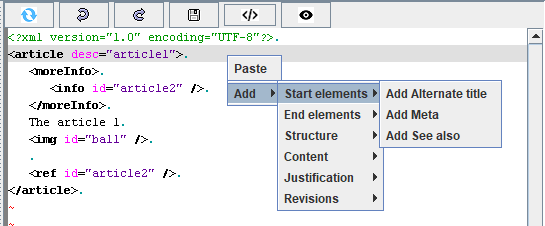
For example, if the position is just after an article, we have a sub-menu for the start elements:
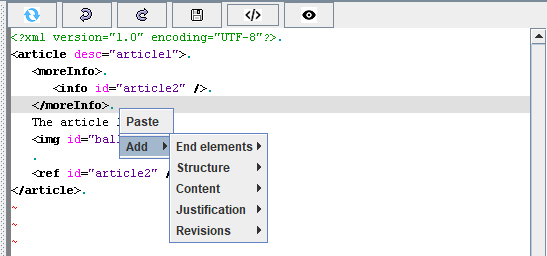
For example, if the position is after an element awhich is after the start elements of the article, we dont have a sub-menu for the start elements:
If this option is not checked, you will have the following menu:
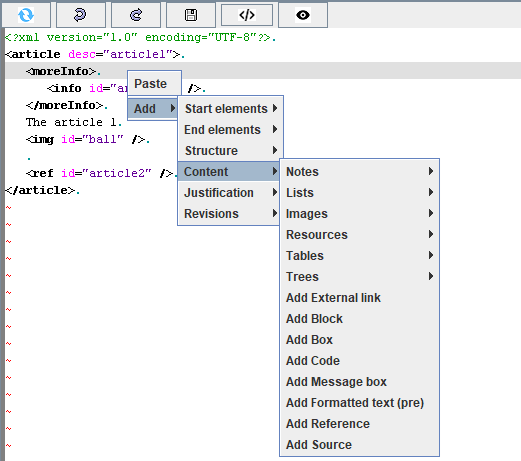
- If checked (the default option), only the elements allowed in the position when the menu is added or replaced by the users are presented
- If not checked, all the menus will be added regardless of the position
Taking into account the position in the file
If the option is checked, the editor will try to filter the menus in order to only add the menus which are allowed at the selected position.For example, if the position is just after an article, we have a sub-menu for the start elements:
For example, if the position is after an element awhich is after the start elements of the article, we dont have a sub-menu for the start elements:
Example
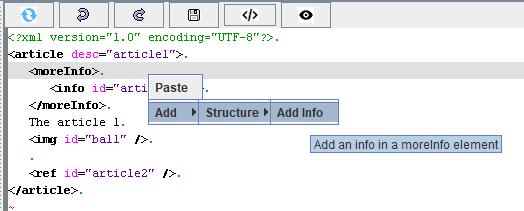
For example, if this option is checked, and you try to add an element under a moreInfo element, you will have the following menu:
If this option is not checked, you will have the following menu:
See also
- Editor options: This article explains the Editor options panel
- Editor editing content: This article is about editing an article or any element in the editor
×
![]()
Categories: Editor | Gui
